We know how important it is to get granular with your screen time controls, and we’re to happy to announce a new feature!
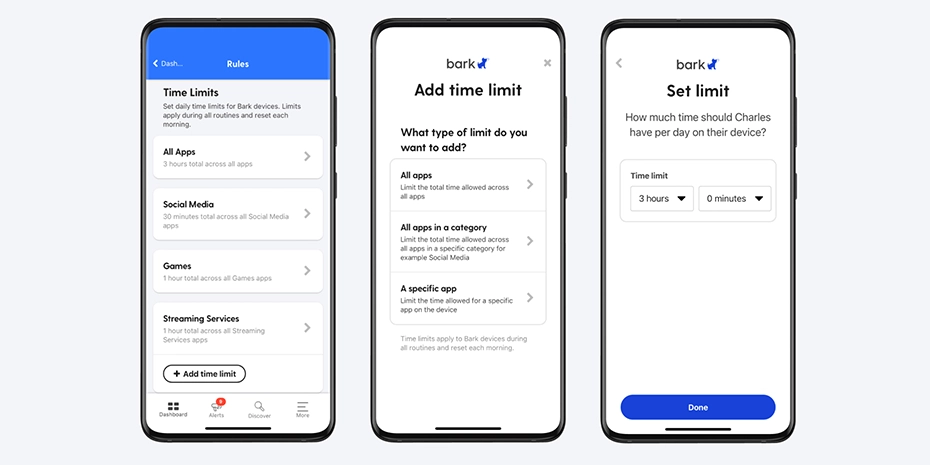
Now, you can set time limits across all apps on your child’s Bark Phone, and not just for a general category or specific app. This way, when your kid’s daily limit is up, all apps (except for the phone) will be grayed out until the following day.
Here’s how to do it:
- Open up your Bark parent app/dashboard.
- Select your child.
- Tap the Screen Time tile.
- Scroll down to Time limits and tap All apps.
- Here, you can enter in the total amount of daily screen time you’d like to allow.
Want step-by-step instructions? Check out our in-depth article for everything you need to know.