
Bark vs Kidslox
Learn how the Bark Premium app stacks up against Kidslox, a spyware app.
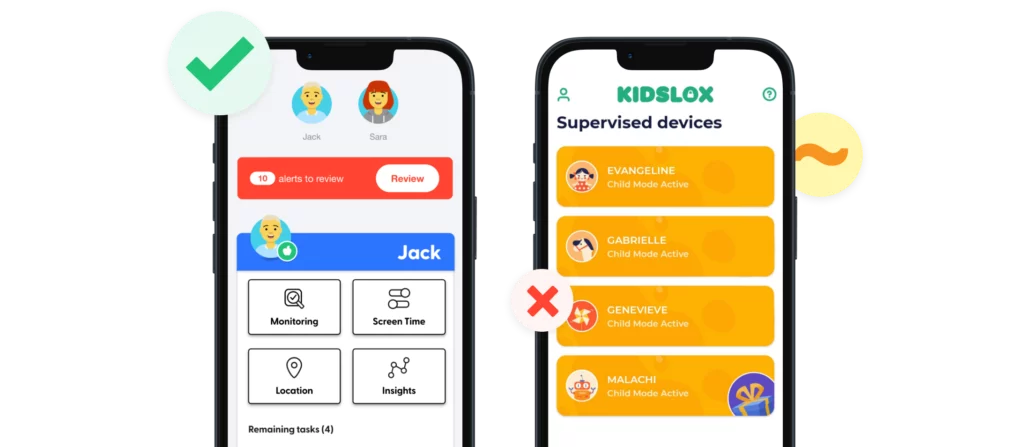
Compare the Features
Set custom rules for school time, bedtime, and free time.
Block apps and websites on a schedule or time.
Block specific sites and apps or choose from 19 categories, including adult content, gaming, and streaming sites — all on any browser.
Block inappropriate apps, games and websites permanently.
Scans online activities like texts, emails, and social media platforms for concerning content across 29 categories.
Kidslox takes screenshots of your child’s device throughout the day (Android only) and when requested by the parent (iOS and Android). Screenshots are scanned for concerning content.
Get email/text notifications for issues like cyberbullying and sexual content.
Kidslox alerts you if it detects nudity in your child’s photo gallery.
Check your child’s location in real time on a map.
Receive location alerts when child arrives or leaves pre-set locations.
Get your child’s exact location with check-ins.
Real-time location tracking and history are available. You can set up geo-fenced areas to get notified when your child arrives or leaves those areas.
Try Bark risk free for a full week to see if it’s right for your family.
3-day free trial.
Add as many kids, devices, and accounts as your family needs.
Add up to 10 devices.
Bark only alerts you to potential issues so you can save time and help protect your child while also building trust.
On Androids, Kidslox will take a screenshot of your child’s phone and send it to you anytime.
With Bark, you can:
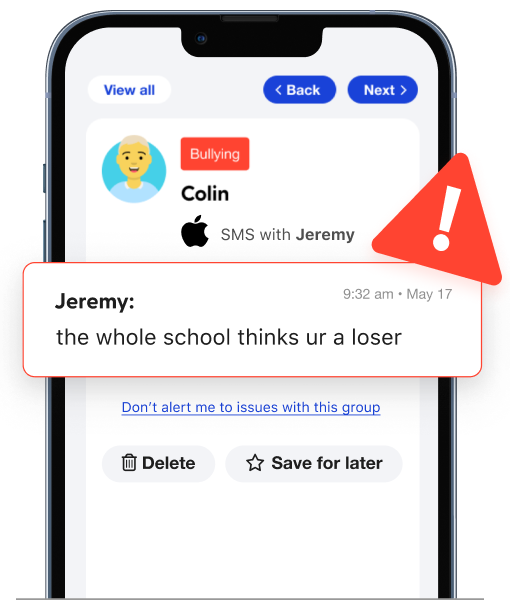
Monitor content
Get alerts for issues like bullying, predators, sexual content, and more.
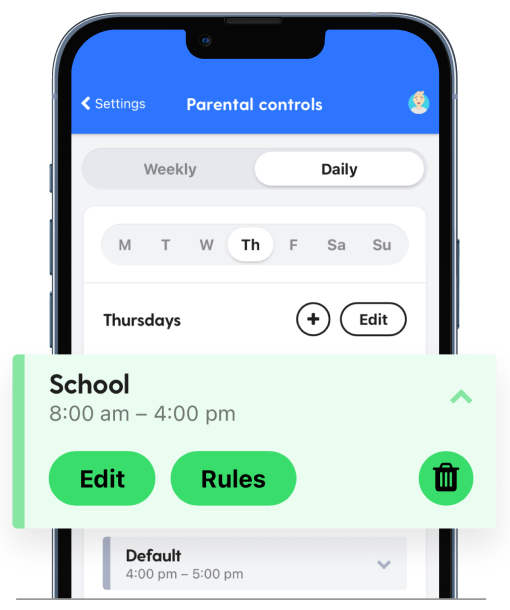
Manage screen time
Create custom daily screen time schedules for your child’s device.
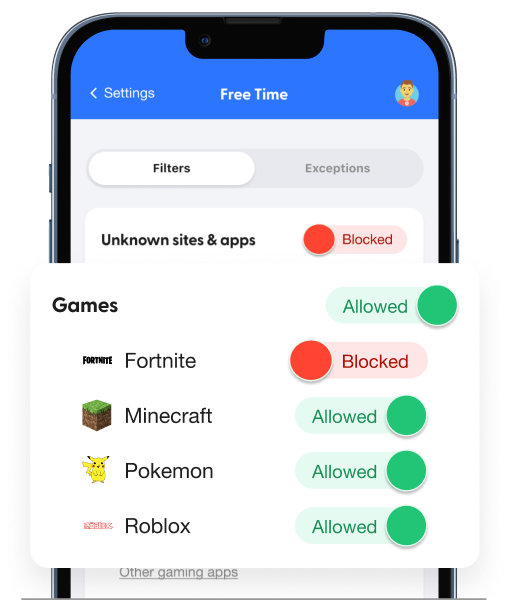
Block websites
Block access to specific websites or even whole categories.
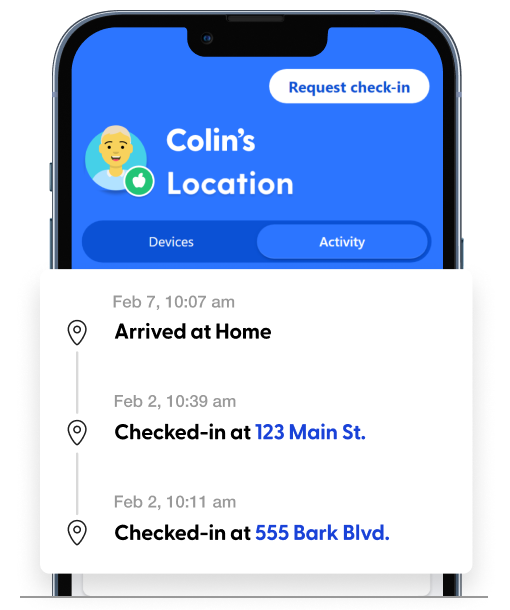
Track location
Stay on top of your child’s location with our real-time map, location alerts, and check-ins.
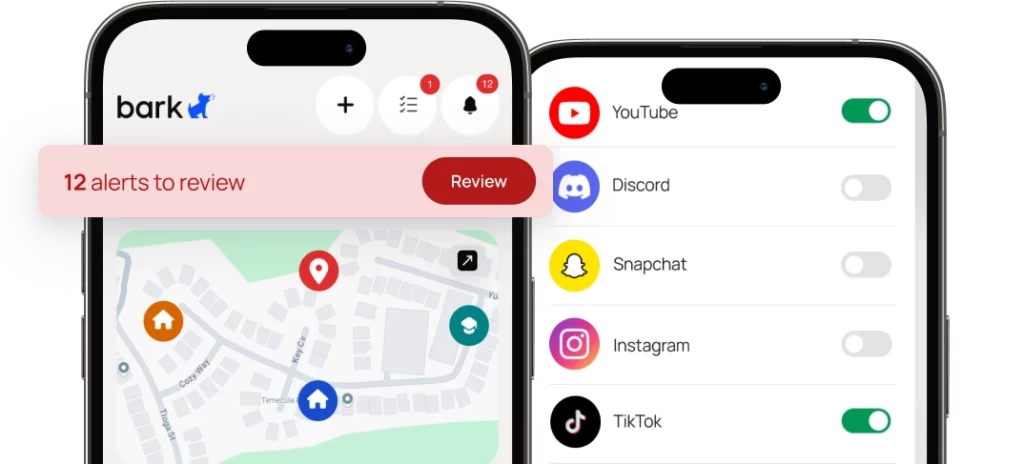
Pricing & Details
- Monitor texts, email, YouTube, and 30+ apps and platforms
- Monitor web searches and saved photos & videos
- Receive parental monitoring alerts for issues like cyberbullying, online predators, suicidal ideation, and more
- Get insights into your child’s digital activities
- Learn how to address issues with child-psychologist advice and tips
- Manage screen time
- Block website and apps
- Keep up with kids with location alerts and check-ins
- Free access to Talkspace Go
FAQs
Once you connect your child's devices and accounts, Bark runs quietly in the background — no daily effort needed. Here's the basic flow:
1. Bark monitors your child's online activity
Bark scans texts, social media, emails, web searches, and saved photos and videos across your child's devices. Rather than flagging every message, it uses advanced AI and natural language processing to understand context — so it knows the difference between a kid venting about homework and a kid who's genuinely struggling.
2. You get an alert when something needs your attention
If Bark detects a potential issue — like signs of bullying, predatory behavior, suicidal ideation, or explicit content — it sends you an alert right away, along with context and guidance on how to address it.
3. You stay in control of the rest
Beyond monitoring, you can manage screen time schedules, block websites and apps by category, and track your child's location with live GPS and check-ins — all from the Bark parent app. For a deeper look, visit our How Bark Works page.
The easiest way to get started is to visit our sign-up page or download the Bark parent app (iOS, Android) — from there, you'll be guided through setup step by step.
Not sure which product is right for your family? Learn more about the Bark App, Bark Phone, Bark Watch, Bark Sync, and Bark Home.
Phone spyware consists of programs that are installed on devices that records information with or without the user’s knowledge. This can look like complete access to messages and call logs, photos, and more. Some spyware programs will take screenshots periodically of the phone and send them to the spyware owner. Other programs can allow you to tune into the phone and hear what’s going on in the background.
Bark strikes the perfect balance between monitoring your child’s phone and giving them privacy to learn about growing up with a digital device. You don’t get unfettered access to everything on their phone, but you will get alerts about potential dangers like online predators, sexting, depression, and more. This way, you can see the concerning message, but you won’t have to wade through hundreds of Fortnite memes or texts about baseball practice.
If your parents ever looked through your pen-and-paper journal growing up or secretly listened to one of your phone calls, you know how spying can breed resentment. And while parents are responsible for their child’s safety — and phones can be extremely dangerous — there’s a happy medium between outright spying and making sure everything’s okay. Spyware programs simply encourage kids to find alternate ways to talk to their friends, which can cause problems in another way.
Bark helps you build trust by allowing your child to learn how to safely use their phone while also giving them a digital safety net that centers you as the go-to person for help.

Ready to get started?
Bark was created by parents, for parents, to offer a better, easier, and more effective way to help families create healthy digital habits.
