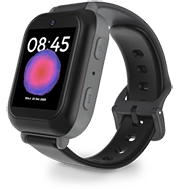
Meet the Bark Watch
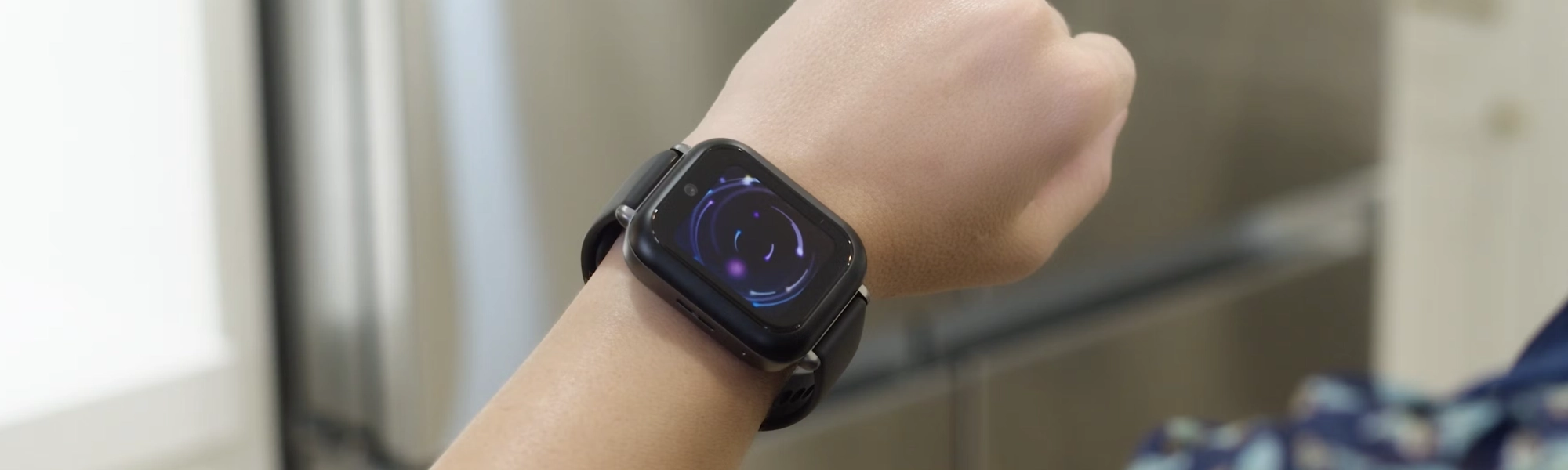
Your exclusive first look at the features of the brand new Bark Watch — monitor texts, track location, manage contacts, and more.

Text, video & photo monitoring

Talk & text with LTE connectivity

24/7 GPS location tracking

Manage all contacts

SOS emergency feature
Featured On:















Plans & Pricing
The Bark Watch monthly plan includes parental controls and cell service.
- Bark Watch with charging cable
- Family subscription to Bark Premium that lets you manage other devices like phones and tablets ($14/mo value)
- Free transfer of your kid's phone number to the Bark Watch
- Talk and text
- Free shipping
- 60-day money back guarantee
+ device
Frequently asked questions
The Bark Watch is a Samsung Galaxy Watch8, a round, sleek smartwatch designed with kids in mind. It runs Samsung's watch OS and comes loaded with Bark's built-in parental controls, so parents get peace of mind while kids get a little more independence. It's made with Armor Aluminum, water-resistant, durable, and ready for whatever the day brings.
The Bark Watch stands out from other watches because of our advanced content monitoring that comes built-in. Our software automatically scans texts, photos, and videos for dangers and sends you an alert if something concerning is found.
Every Bark Watch comes with a charging cable and a Bark Premium subscription for all of your family's devices. Device protection is also available as an add-on for $4/month.
The Bark Watch is paid for monthly over 24 months. This monthly cost covers the device only. A Bark service plan is required to activate your Bark Watch.
Device payment:
- $10/month for 24 months. You can pay it off early — just contact us!
Your $15/month service plan is separate from your device payment and includes:
- Cell service and parental controls
- A Bark Premium subscription for the entire family, covering unlimited kids and devices, including phones and tablets you already own
Right now, the Bark Watch for kids is only available for families located in the U.S.
Tell us what country you'd like us to bring the Bark Watch to next.
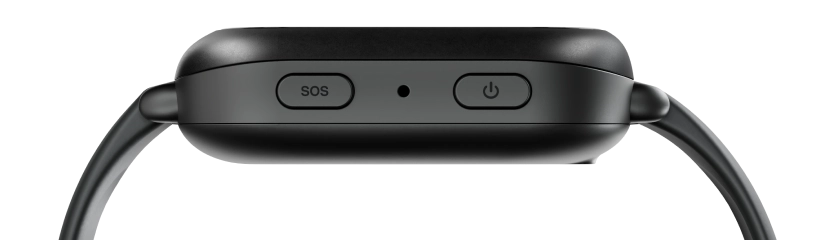
If your child ever needs help, they can hold the top right button on the Bark Watch to bring up an "Emergency call" option, which lets them quickly call 911.
Nope! The Bark Watch is a standalone device with its own phone number, talk & text, and other features. There's no need to purchase a Bark Phone when you’re buying the Bark Watch.
Yes! The Bark Watch is water-resistant with a 5ATM + IP68 rating, meaning it can handle up to 5 feet of freshwater for up to 30 minutes. It hasn't been tested in salt water, chlorinated pools, or high-pressure situations like diving.
Before swimming or getting the watch wet, turn on Water Lock. This locks the screen so it doesn't respond to water touches. It also turns on automatically when your child starts a Swimming Workout in the Samsung Health app on the watch.
When they're done, turn off Water Lock. The watch will vibrate to push out any leftover water. Rinse off any residue and dry the watch before wearing it again.
The Bark Watch does not have a camera, so your child can't take photos or record video with it. That said, Bark's content monitoring still covers photos and videos that are sent or received on the watch, so you'll get an alert if something concerning comes through.
You sure can! Bark lets you transfer an existing number from another carrier — known as "porting" — at no additional cost! Check out this help article for step-by-step instructions.
Nope! We aim to make things easy with the Bark Watch — your family and friends can text them easily straight from their own phone.
Nope! You can add as many contacts as you'd like to the Bark Watch. And if you choose, your child can reach any contact without needing prior approval — though parents can still require approval if that's what works best for their family.
Data and coverage is provided by Bark.
If you cancel your Bark Watch subscription more than 60 days after purchase, you'll need to pay off what remains of the total cost of the watch. After that, the watch is yours to keep. The amount you owe depends on when you cancel. Your Bark Watch will remain fully functional until the end of your billing period, after which all apps on the Bark Watch will be grayed out.
For more information on returns, including damaged or defective watches, check out our help article.
Yes, we offer optional device protection plans with AKKO that cover accidental damage, loss, and more — because life happens. Learn more here.
You can reach out to our customer support team — they’re standing by ready to help!
The Bark Watch comes with a focused set of apps that keep kids connected without the distractions of a full smartphone. The watch includes:
- Alarm
- Calculator
- Compass
- Contacts
- Gallery
- Health
- Phone
- Messages
- Reminder
- Settings
- Stopwatch
- Timer
- Voice Recorder
- Bark app
- Samsung Knox
There are no games, browsers, or social media apps on the watch, so kids can stay connected without the usual distractions.
No, the Bark Watch does not have a camera. It's designed to keep kids connected through calls and texts. Bark's content monitoring still covers photos and videos sent or received on the watch.
Quite a bit! Here's a quick rundown of what's improved:
- A more capable device. The Bark Watch is now built on the Samsung Galaxy Watch8, with a round face, Armor Aluminum casing, and a 5ATM + IP68 durability rating.
- More ways to communicate. Group texting and speech-to-text are all now supported.
- Smarter health tracking. Full fitness tracking through Samsung Health, including step count, heart rate monitoring, and activity goals.
- More flexible contact management. Kids can now reach any contact without needing prior approval, if that's what you choose. Parents who prefer to approve contacts first can still do that.
No, the Bark Watch doesn't include games. We keep the watch intentionally distraction-free so kids can stay connected without getting pulled into screen time. It's built for communication and safety, not gaming.
No, the Bark Watch does not support phone pairing. It operates as a standalone device, which means your child's watch experience is fully managed through the Bark parent app rather than through Samsung's Wear app.
Yes! The Bark Watch has Samsung Health built in, so it can track your child's fitness activity, heart rate, step count, and more, all in one place.
Not currently. The Bark Watch and Bark Phone operate as separate devices. If your family has both, each will have its own number and plan.