


As recommended by the Family IT Guy
Parental controls made easier
Bark’s award-winning parental controls help protect kids online and in real life — with alerts for potential issues, location tracking, and screen time tools.
Trusted by 7 million+ familiesWorks on iOS & Android

The Family IT GuyBen Gillenwater




Parental controls that fit your family
Alerts that matter
Bark flags potential issues — no need to read every message.
Works on their devices
iPhone, Android, and tablets — or choose a Bark Phone or Bark Watch.
One plan for the family
Cover unlimited kids and devices with one subscription.
Help protect your kids online and in real life
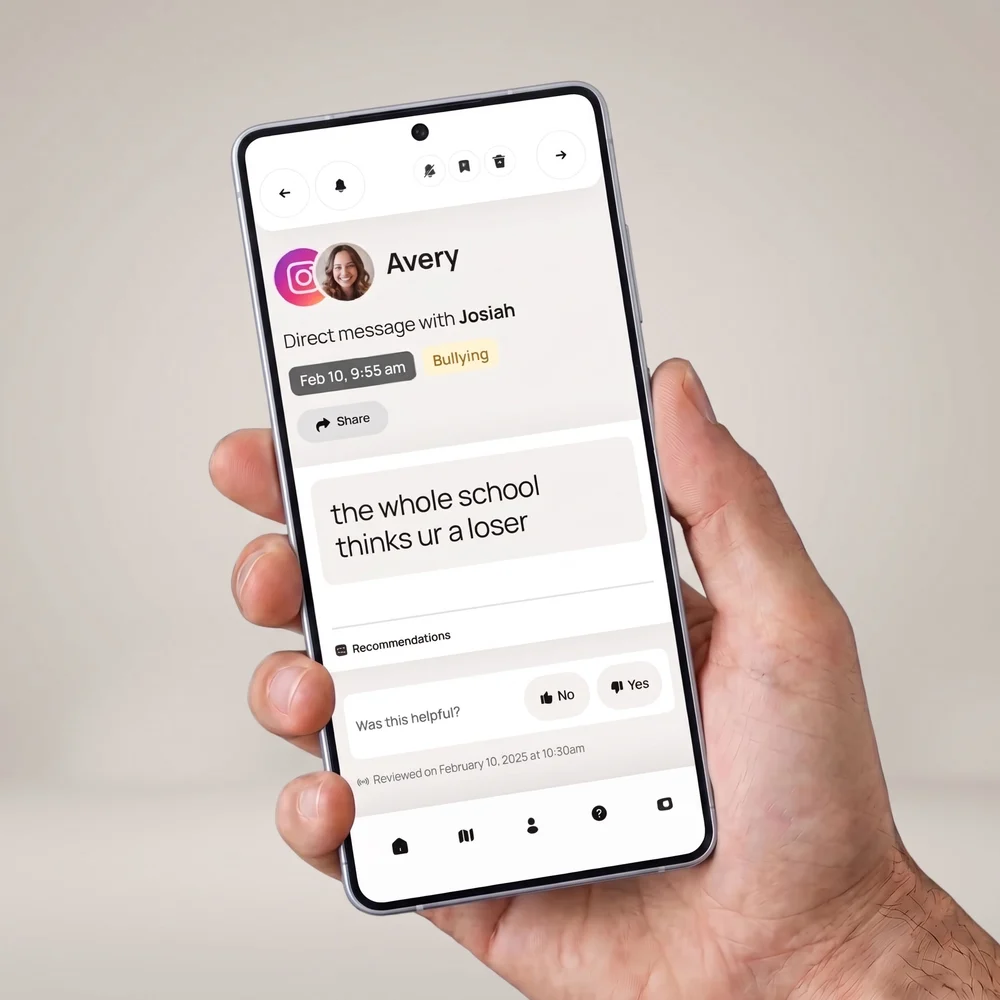
AI-powered alerts in over 29 categories
Bark’s AI understands context, not just keywords — across texts, social media, images, videos, and audio — and alerts you to potential issues like bullying, suicidal ideation, and sexual content.
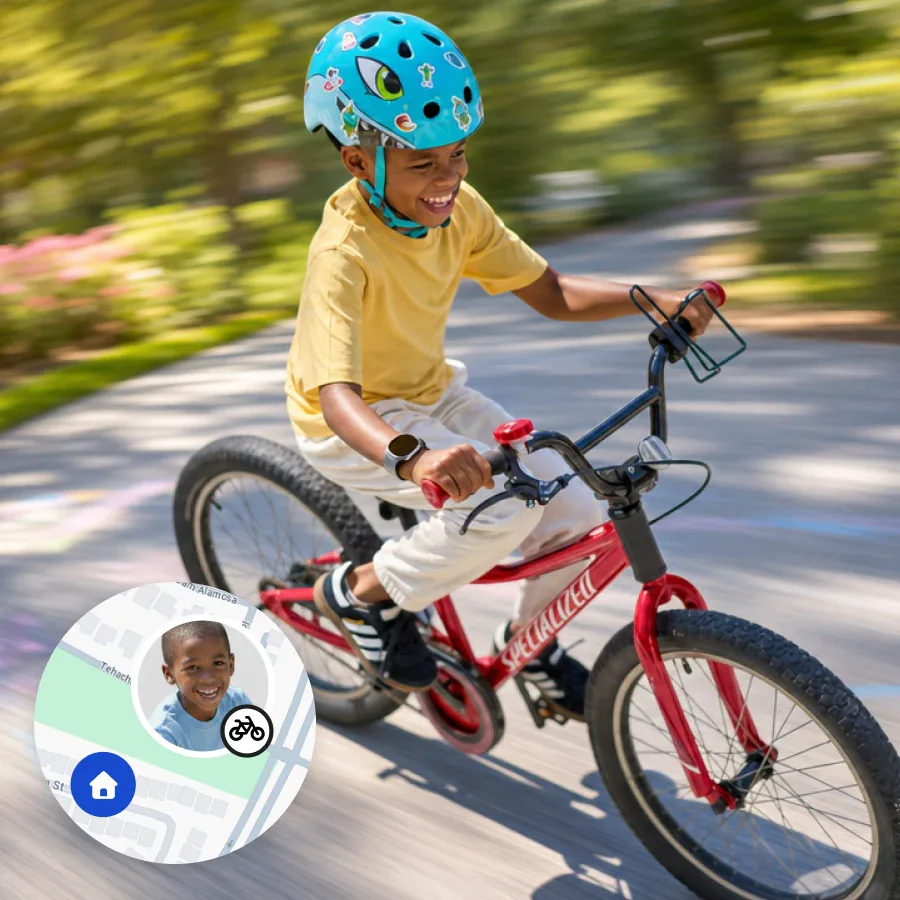
Peace of mind when they’re out and about
See your kid’s location on a live map and get location alerts when they arrive at school, practice, or a friend’s house.
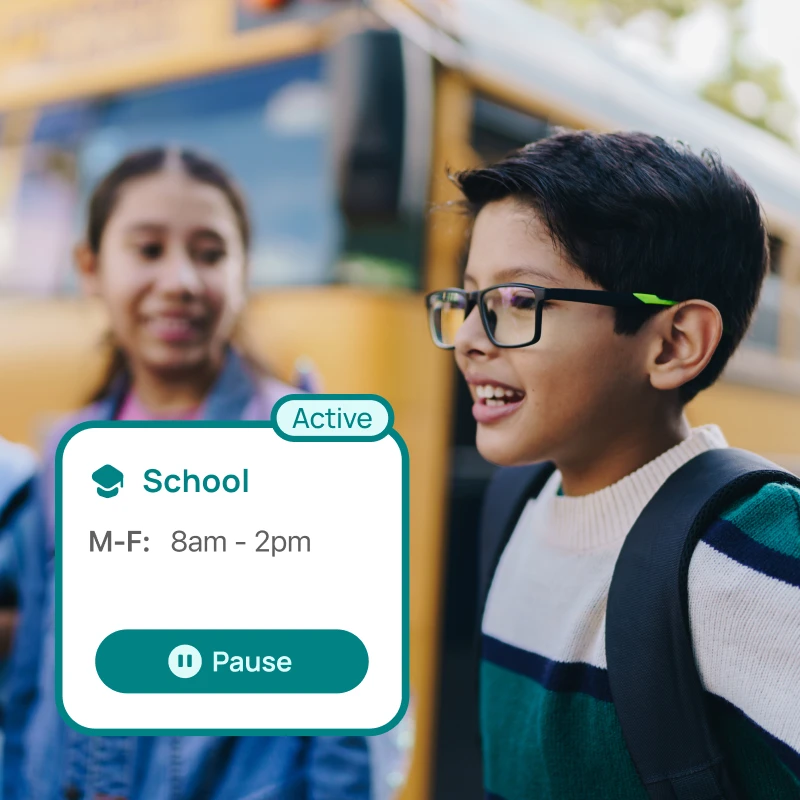
Block apps and websites with a tap
Decide which apps and sites your kid can use — block whole categories of content, or specific apps like TikTok and Snapchat.

Screen time schedules that keep them on track
Automatically block distracting apps during the school day or after bedtime, so your kid can focus.
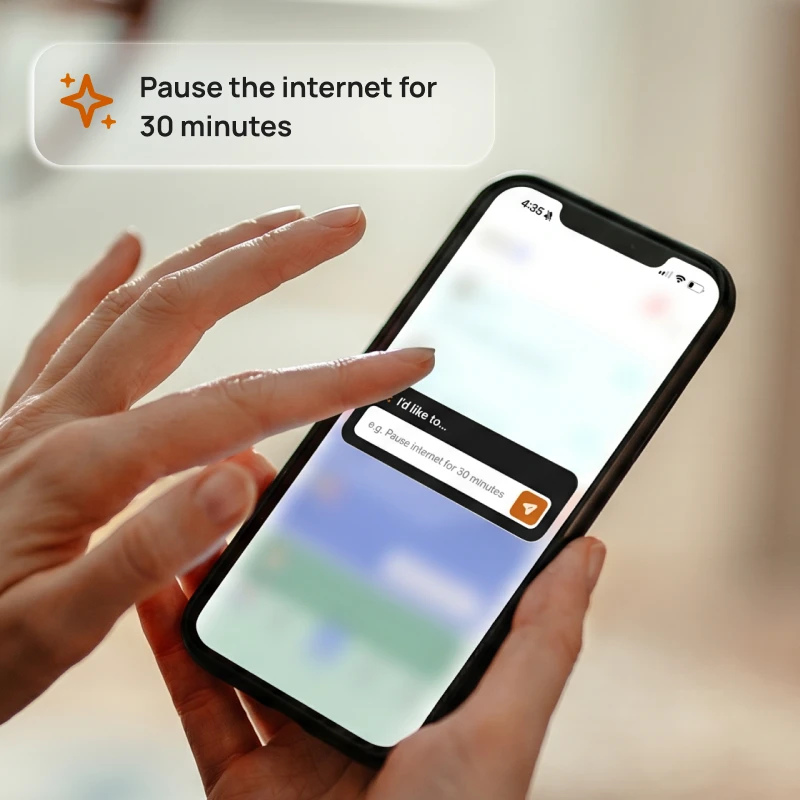
Change parental controls with one tap
Ask about screen time, block apps, or get insights — the Bark Assistant helps you manage everything in one place.
Find the Bark product that’s right for your kid

Popular for kids ages 8–17
Bark Phone
A real smartphone for kids with Bark’s monitoring built in. Tamper-proof and customizable as your kid grows.
$260 $360 for device
+ Bark plans from $29/mo
Pay over time with Affirm or Klarna
Great first device
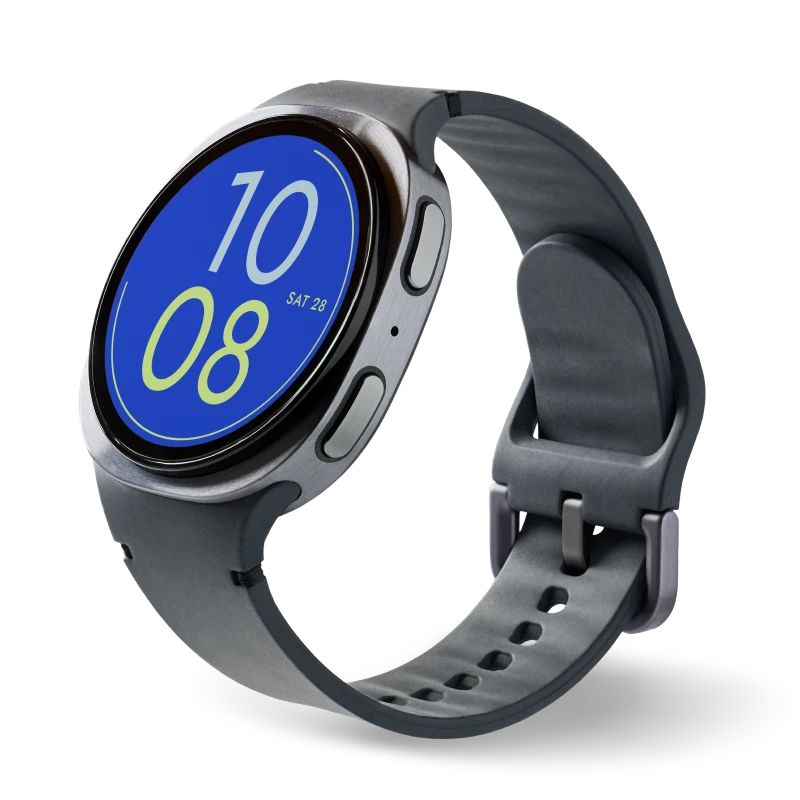
Bark Watch
Calls, texts & GPS location tracking — no browser, games, or social media.
$238 $288 for device
+ Bark plan $15/mo
Pay over time with Affirm or Klarna
For the devices they already have
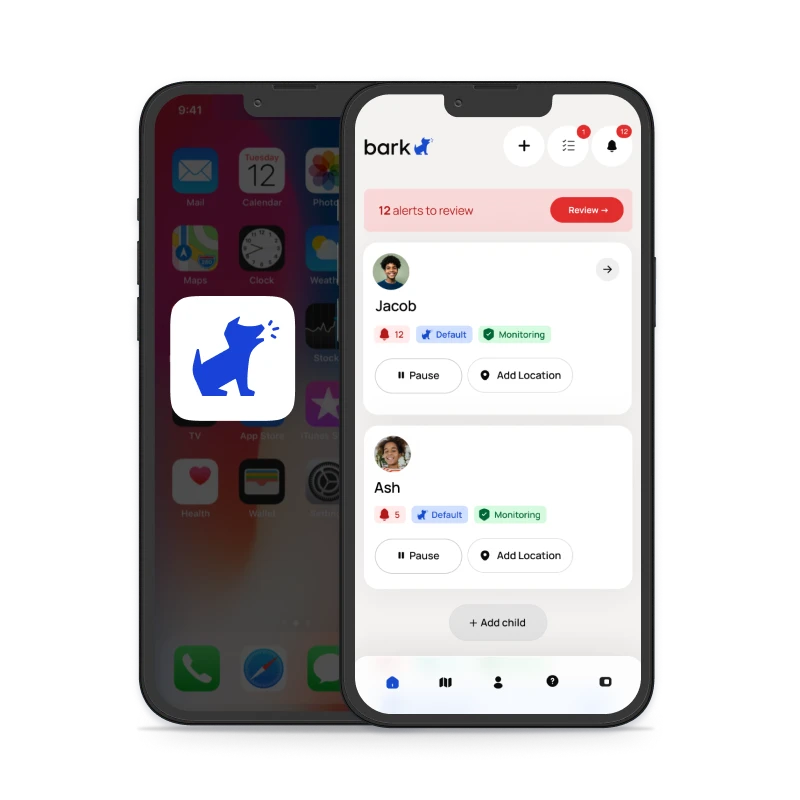
Bark App
Add Bark’s monitoring and parental controls to your kid’s iPhone, Android, or tablet.
From $14/mo
7-day free trial
Unlimited kids & devices
FAQs
The Bark Watch is a one-time purchase of $288, which covers the device only. A Bark service plan is required to activate your Bark Watch.
Want to pay over time? Choose Affirm or Klarna at checkout. Affirm and Klarna determine which payment plans are available to you based on your eligibility.
Your $15/month service plan is separate from your device cost and includes:
- Cell service and parental controls
- A Bark App subscription for the entire family, covering unlimited kids and devices, including phones and tablets you already own
Pricing depends on your child's device. A single subscription covers every child and device in your family, with no limit on accounts, devices, or kids.
iOS (iPhone/iPad) and Android: $14/month or $99/year
With either plan, you can:
- Monitor and receive alerts for your child's social media, texts, email, and web activity
- Manage screen time and block specific websites and apps
- Track your child's location with live GPS and location alerts
For iPhone and iPad families: Apple's privacy protections mean third-party apps can't read what's on your child's device. The Bark Sync helps close that gap. It's a smart charger that scans your child's iPhone or iPad for potential issues every time it plugs in, no extra steps required. The Bark Sync is optional and available for $6/month or $49/year, and requires a Bark app subscription.
The Bark Phone and Bark Phone Pro are a one-time purchase that covers the device only. A Bark wireless plan is required to activate your Bark Phone.
- Bark Phone: $360
- Bark Phone Pro: $600
Want to pay over time? Choose Affirm or Klarna at checkout. Affirm and Klarna determine which payment plans are available to you based on your eligibility.
Your wireless plan cost is separate from your device cost and includes:
- A Bark Premium subscription for the entire family
- Built-in parental controls
- Unlimited talk & text
- Mobile data (if you choose a data plan)
Starter plan:
- $29/month for unlimited talk, text, and no internet, app store, or games
Advanced plans:
- $39/month for unlimited talk, text, and Wi-Fi only (no data)
- $49/month for unlimited talk, text, and 4GB data
- $59/month for unlimited talk, text, and 8GB data
- $79/month for unlimited talk, text, and data1
1 After exceeding 35GB/month of data use, data speeds will be reduced for the remainder of the monthly billing cycle. After exceeding 50GB/month of data usage, data speeds may be reduced further and/or data connection may be turned off for the remainder of the monthly billing cycle.
Add any of your child's devices or social media accounts to be monitored. There's no limit, so you can connect as many devices and accounts as you need on every plan. When you connect a device, Bark will also scan up to 60 days of its text history to catch anything you may have missed.
For some social media platforms, monitoring requires entering your child's login credentials during setup. This lets Bark access the account's activity directly. We'll let you know during setup which platforms need this.
Once connected, our AI scans text, images, video, and audio for potential dangers, including conversations in English, Spanish, and Afrikaans, and sends you alerts for anything concerning.
You can also customize how sensitive you'd like the alerts to be. Don't care about profanity but want all alerts about drugs? No problem.
The Bark App is compatible with iPhones, iPads, Android phones, Android tablets, laptops, computers, Chromebooks, and Amazon Fire tablets. Check out our full list of everything Bark can monitor on each device.
Yes! Download the Bark parent app here to review alerts, add children, connect accounts, update notification settings, and more.
You'll also need to install the Bark Kids app on your child's iPhone or iPad — it's what enables Bark to block apps and sites and track your child's location.
To monitor texts, photos, videos, and more on your child's iOS device, you'll need the Bark Sync — a smart charger that scans your child's device every time it plugs in (or the Bark Desktop App on a home computer). It's the easiest way to get the most out of Bark on iOS. Learn more about Bark for iOS here.
Bark's parental controls for iOS let you manage screen time, block websites and apps, and track your child's location 24/7, all from the Bark app.
To get full content monitoring for things like texts, iMessages, photos, videos, WhatsApp messages, and Kik messages, you'll also need the Bark Sync. Apple's strict privacy restrictions prevent third-party apps from directly monitoring iOS devices, which is why we built it: a smart charger that scans your child's iPhone or iPad each time it plugs in to close that gap.
Some platforms require you to connect by entering your child's login credentials during setup. We'll let you know during setup which ones need this.
Once everything's set up, if something concerning is found, you'll get a timely alert so you can check in and make sure everything is okay. Learn more about what Bark monitors on iOS devices here.
Together, these features build a powerful digital safety net to help you protect your child online and in real life.
Yes! Download the Bark parent app here to review alerts, add children, connect accounts, update notification settings, and more.
You'll also need to install the Bark Kids app on your child's Android device — it's what enables Bark to monitor content, manage screen time, block websites, and track your child's location. Learn more about Bark for Android here.
Bark's parental controls for Androids give you the power to monitor your child’s online activities in a groundbreaking way.
Our content monitoring uses advanced AI to scan messages, posts, comments, replies, web searches, and so much more to find potential dangers. If something concerning is found, you’ll get a timely alert so you can check in and make sure everything is okay. Learn more about what Bark monitors on Android devices here.
In addition to monitoring, Bark also lets you manage screen time, block websites & apps, and track location 24/7.
These key features work together to build a powerful digital safety net to help you protect your child online and in real life.
Right now, the Bark Phone for kids is only available for families located in the U.S.
Tell us what country you'd like to bring the Bark Phone to next.
Because Bark’s software is built directly into the phone, it automatically monitors texts, emails, social media, and apps. Bark also can't be deleted from the Bark Phone, which helps ensure the settings you put into this cell phone for kids will stay.
The Bark Phone also offers exclusive features that the app doesn’t, including:
- Contact approvals
- App install approvals
- Remote alarms
- Daily screen time limits
- Completely tamper-proof settings
The Bark App is currently available in the United States (including U.S. territories), South Africa, and Australia. We’re continually working to bring Bark to more families around the world.
Our algorithms are currently trained in English, Spanish, and Afrikaans, and we’re looking to add more languages in the near future.
Absolutely. At Bark, security is paramount. Our website uses SSL encryption and all analyzed data is stored within an encrypted database. You can rest easy knowing your children's data is secure.
The Bark Assistant is a faster, simpler way to manage your child's Bark account. Instead of navigating through menus or searching for specific settings, you can type questions or requests in plain language, and the Bark Assistant handles them for you!
Whether you need insights about your child's activity or want to make quick changes to their settings, the Bark Assistant gives you one place to ask, understand, and take action.
The Bark Assistant can help you in two main ways:
Get insights: Ask detailed questions about your child's activity, such as:
- "Who are my child's top contacts this week?"
- "What apps are getting the most screen time?"
- "What issue should I be most focused on as a parent right now?"
- "Show me my child's current location."
- “Who is my child texting with the most this week?”
Take action: Make changes to your child's account instantly with requests like:
- "Pause phone for 30 minutes."
- "Block YouTube tonight."
- "Turn on bedtime at 9 pm."
- "Help me tighten content filtering for a 5th grader."
- "Disable the camera during school."
- "Disable streaming apps during bedtime."