
At Bark, we’re honored to serve millions of children with our products, and we get to hear amazing stories every day about how Bark has been a game-changer for their family’s digital lives. But we also get our fair share of online comments from people who aren’t quite sure what Bark is actually all about. Our dedicated community team takes each comment as an opportunity to explain our mission and why so many families trust Bark to help protect their kids online.
Today, we’ve pulled together all the most frequent comments we see on social media — including common misconceptions and even experiences from teens themselves — and put the answers you’ve been looking for all in one place.
Your Top Comments (and Our Replies!)
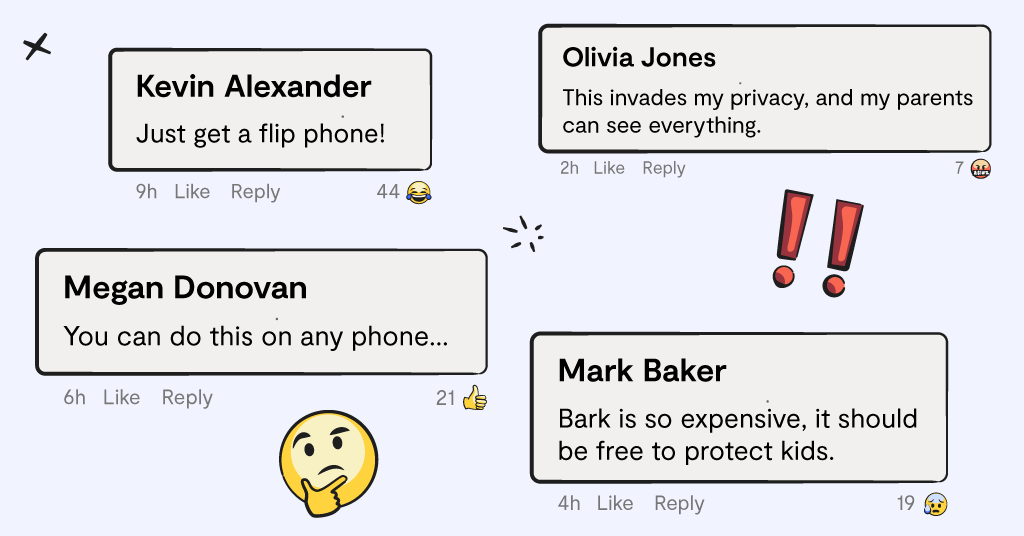
“You can do this on any phone.”
We could probably fill a football stadium with the number of people we’ve seen comment this on our socials. It’s referring to the free parental controls that come with Apple and Android devices — Apple ScreenTime or Google Family Link, respectively. The problem is, it’s just not true. Neither Apple ScreenTime nor Google Family Link offers any form of content monitoring, which is Bark’s bread and butter. If your child is being bullied over text, Apple and Family Link couldn’t tell you about it, but Bark would send you an alert straight to your phone.
Not to mention, the Bark Phone offers far more comprehensive and reliable device controls. For example, all three phones offer contact management, which allows you to choose who your child can text or call. But only the Bark Phone allows parents to disable deleting text messages, something that tons of parents wish they had more control over on regular phones.
“Google Family Link is free.”
This statement is true, but it’s a classic “you get what you pay for” situation. Family Link is free, but it’s very limited. Bark might not be free, but what we offer comes with far more peace of mind since parents can customize their controls to fit their child’s needs and be alerted when their child needs them the most.
Parents should also know that Google Family Link automatically gives children the power to turn off supervision at the age of 13. Bark, on the other hand, can monitor kids up until age 18 because we believe parents should be the ones to decide when their child is ready for that independence.
“Just get a flip phone.”
For many of us, when we think of simpler times with simpler tech, we think of flip phones. The times before social media and smartphones, so flip phones have to be safer, right? Well, not exactly.
Nowadays, most flip phones come with an internet browser, meaning it has essentially the same access that a smartphone does — kids can pull up Google and find social media, games, porn, and more. In fact, we’ve heard stories from real parents who share this specific experience in our Facebook group, Parenting in a Tech World.
To go even further, flip phones actually prove to be more dangerous than a smartphone because it has access to the internet but no access to download apps. This means parents can’t even download parental controls to help keep their kids safer on the device. Flip phones don’t equal safer, simpler tech. Flip phones equal unfettered access to the internet.
“This invades my privacy, and my parents can see everything.”
As you can imagine, we get this comment all the time from teens. We love the opportunity to hear from real kids about their experience with Bark, and believe it or not, we actually hear from many kids that they appreciate the concept behind Bark.
However, to many teens, Bark is the “big brother” that watches everything they do online. We completely understand how it may feel this way to them. As a teen, everything always feels bigger, more intense, and scarier. But the truth is, Bark doesn’t give parents access to all of their online activities — we only send alerts for harmful content.
Many kids don’t realize that other parental control options do give their parents a copy-and-paste list of their every online interaction. Or if their parents decided to look through the phone themselves, that would give them even less privacy. We believe that kids deserve a healthy level of privacy, and we designed our monitoring specifically to give them exactly that.
“This app is so glitchy, and none of my apps will load.”
When kids initially get Bark on their phone, they’ll go to open the apps on their phone just like normal. Then they’ll find that particular apps just won’t load. It’ll look like the internet connection is broken, or it’s just forever loading. They immediately think it’s because Bark is “glitchy” or “buggy,” but actually, this is just Bark doing its job. Nine times out of ten, there isn’t anything wrong with Bark, it’s just that their parent has that app blocked in their parent dashboard.
“This is spyware.”
This is a comment that we hear from both kids and adults. Some feel that any form of parental control is spyware or an invasion of privacy, no matter what. But the reality is, all kids need some form of supervision in their online world. In the same way you wouldn’t let your child drive a car for the first time by themselves, it only makes sense to have some form of parental control for your child’s first experiences online. And you wouldn’t consider it spying by being in the car with them while they learn.
Again, we strongly feel that many families benefit when the parent doesn’t have to read every single online interaction their child has, just the important ones that might require parental wisdom or help.
“Bark is so expensive, it should be free to protect kids.”
We truly understand this one and also wish that protecting kids came at no cost for families. But the reality is, it takes a ton of time, advanced technology, and incredible talent from our dedicated team to create something like Bark. We want to ensure that the product we provide is of the highest possible quality and genuinely brings a positive impact to the families we serve. We do our best to make sure our prices strike a balance of being affordable for most families, while also allowing us to continue the important work of creating safer tech.
But even still, we love the opportunity to provide something impactful to our families that’s completely free. We do this by offering a free Bark Premium subscription anytime you purchase a Bark Phone or a Bark Watch. With your purchase, you'll automatically get content monitoring and parental controls for all other devices in your home at no extra cost!
“I’m so annoyed with seeing Bark ads on my feed.”
This one is pretty ironic and usually gives our team a small chuckle. It seems the internet users who leave this comment aren’t familiar with how social media algorithms work. If you engage with any content on your feed, the algorithm will assume you want to see more of it — no matter what it is.
So, even if you’re commenting about how much you dislike something you’re seeing, all it does is encourage more of that content on your feed. Of course, we don’t want our content to seem annoying, but leaving this comment simply gives us a second chance to persuade you otherwise (which we’re not complaining about!).
Ready to Try Bark for Yourself?
Now that you’ve heard our perspective, we’d love to give you the opportunity to try Bark for yourself. While no parental control or web filter is absolutely perfect, we’re confident that Bark can be the tool that empowers a healthy digital journey for your family. You can try our Bark app in a 7-day free trial to see how it works firsthand. You can also learn more about our whole suite of parental control products, the Bark Phone, Bark Watch, and Bark Home.
Read more

Bark helps families manage and protect their children’s digital lives.

