If your kid has an iPhone, you may have noticed that keeping up with what’s happening on it can feel a bit like trying to read a diary through a locked door. Apple builds its devices with privacy at the center, which is great for adults but leaves parents with very little visibility into texts, photos, and the other places where problems tend to show up first.
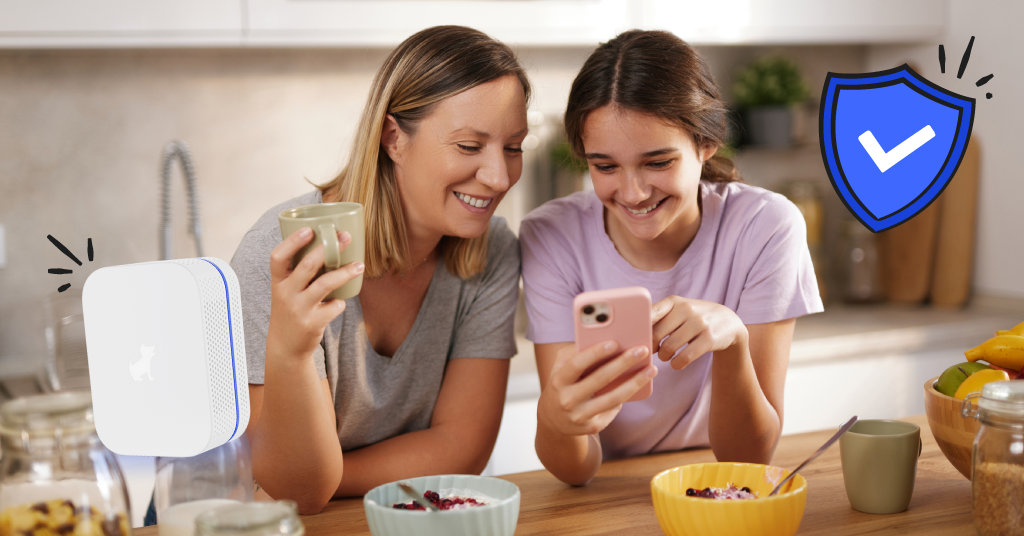
This year, Bark released a new product for iOS families that changes the game for monitoring: the Bark Sync. It’s a small smart charger that scans your child’s iPhone or iPad every time it plugs in. In this post, we’ll walk through why iOS monitoring works differently, what the Bark Sync actually does, and how it fits into your family’s routine without adding anything to your to-do list.
Why iOS Monitoring Works Differently
On Android devices, monitoring apps like Bark can run directly on the phone. Apple doesn’t allow that. iPhones and iPads are designed so that no third-party app can read what’s stored on the device, including messages, saved photos, and files.
From a privacy standpoint, that makes sense. But for parents, it creates a real blind spot. Text messages are where a lot of cyberbullying, contact from predators, and conversations about self-harm happen, and those are exactly the things Apple keeps out of view. Apple’s built-in tools can help with screen time limits, but they aren’t designed to flag a concerning conversation and let you know about it. Even Apple’s Communication Safety feature, which blurs nude images and violent content, still lets kids choose to view them anyway and doesn’t notify parents that it happened.
We at Bark understand how frustrating it is to hand your child a device you can’t see into. So the Bark team set out to find another way in.
What the Bark Sync Does
The Bark Sync replaces your child’s everyday charger. When their iPhone or iPad plugs in, the Sync scans the device and sends the content to Bark over Wi-Fi. Bark’s algorithms then look for signs of potential issues like bullying, online predators, self-harm, explicit content, drug and alcohol use, and depression and anxiety.
Here’s what the Bark Sync allows Bark to monitor on your child’s device
- Text messages
- Saved photos and videos
- Voice memos
- The Notes app
- Kik
The Notes app is an easy one to overlook, but kids sometimes use it as a private journal or a place to stash things they don’t want found. Your child’s other social media accounts and apps — such as email, Pinterest, YouTube, and more — can be connected separately in the Bark App, so the Sync and the app work together to give you a fuller picture.
And the best part is you won’t be flooded with every single message. Bark only sends you an alert when something actually needs your attention, along with context and recommended next steps. That way, your child keeps some privacy, and you still get a heads-up when it matters most.
How the Bark Sync Works
Setting up the Bark Sync takes just a few minutes. After that, it runs completely on its own. Your kid charges their device like normal, Bark scans in the background, and you get alerts in the Bark parent app if anything comes up.
Here are just a few things that make monitoring with the Bark Sync easier for your family.
The Bark Sync is portable
The Sync is small enough to toss in a backpack or suitcase, so monitoring doesn’t have to stop when your family leaves the house. When traveling, you’ll just need to connect it to the local Wi-Fi network. For places your child visits often, like a co-parent’s house or a grandparent’s, the Sync remembers networks it’s connected to before and reconnects automatically.
It’s also a charger
Because the Bark Sync doubles as your child’s charger, there’s nothing extra for them to remember. It comes with a Lightning or USB-C cable, and we recommend sticking with the included one for the best results.
A helpful tip: set it up wherever the phone already charges overnight. If you’re working toward phone-free bedrooms, the kitchen counter or your own room is a great spot, and you’ll get a nightly scan out of the deal.
Monitoring happens more often
Before the Bark Sync, monitoring an iPhone with Bark relied on syncing the device with a computer at home. Now, every charge is a scan. If it’s been more than three hours since the last one, a new scan starts automatically as soon as the device plugs in. And if you want to check things right away, you can tap “Scan” in the Bark Kids app while the device is charging.
Since most kids plug in at least once a day, that means more frequent check-ins and a better chance of catching a problem early, rather than days after it started.
Ready to Start Monitoring Your iOS Devices?
Parenting a kid with an iPhone shouldn’t mean parenting blind. Bark Sync gives iOS families a simple way to help keep kids safer without tediously reading every text.
The Bark Sync is available for $6/month or $49/year and pairs with a Bark App subscription ($14/month). That one subscription covers unlimited kids and devices, including Androids, Chromebooks, and Amazon Fire tablets. Learn more about the Bark Sync and get started today.
Read more


Bark helps families manage and protect their children’s digital lives.