
 Buyer Guides
A Parent’s Guide to Kids’ Smartwatches with GPS Tracking: Why Some Fail and What to Look For
**This blog post was updated on August 6, 2026.**
There comes a time in every parent’s life when their kid starts craving a little more independence. Whether they’re heading to a friend’s house or staying after school for practice, letting your child set off on their own can feel like a big step. Thankfully, in today’s tech world, parents don’t have to feel completely in the dark. Some families turn to smartphones to stay connected, but others feel like too much too soon.
That’s why so many parents turn to kids' smartwatches with GPS tracking. Ideally, a kids' smartwatch with GPS tracking offers a helpful middle ground: your child gets a way to reach you, and you get a little peace of mind knowing where they are. But not all kids’ smartwatches work the same. Some are helpful. Some are frustrating. And some don’t live up to what parents expect. Here’s what to know before investing.
Why Parents Choose a Kids’ Smartwatch
For many families, a kids’ smartwatch sits in the middle between a basic GPS tracker and a full smartphone. A GPS tracker may show you where your child is, but it usually doesn’t give them an easy way to call or message you. A smartphone offers more communication, but it also comes with apps, internet access, group chats, social media, and a lot more responsibility. A kids’ smartwatch can offer a more manageable first step, especially for younger kids with simple communication, location tracking, and parent-controlled features.
Why Some Kids' Smartwatches Let Parents Down
With all the bells and whistles that come with kids’ smartwatches today, it can be difficult to figure out what’s needed and what’s more flash than function. And when a device is supposed to help you stay connected to your child, the details really matter.
The GPS tracking isn’t always accurate
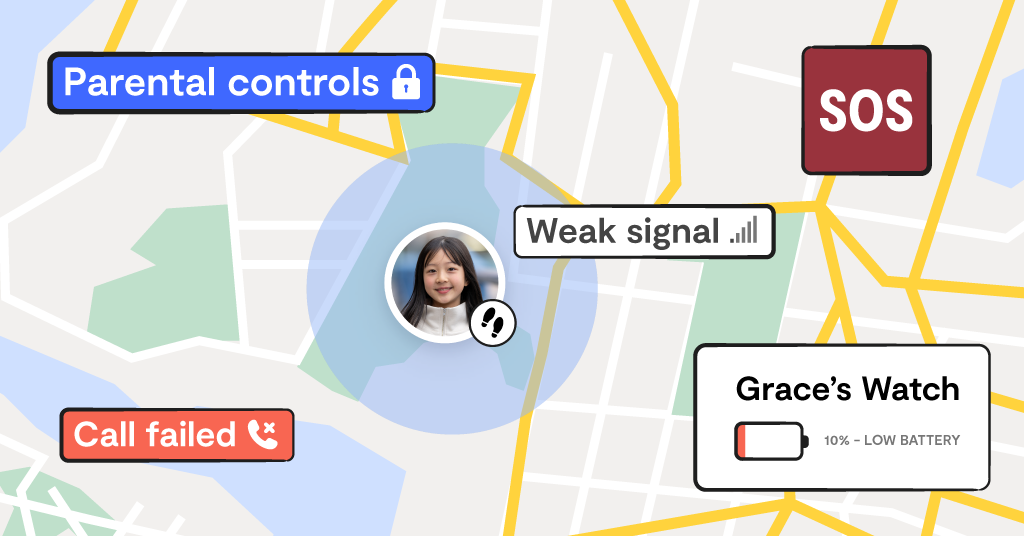
Location tracking is often the main reason parents buy a kids’ smartwatch, so it can be frustrating when it doesn’t work the way you expect. Some watches may lag, update slowly, or show your child nearby but not exactly where they are.
The battery dies too quickly
A smartwatch isn’t much help if it can’t make it through the school day. Continuous GPS tracking, calls and messages can all drain the battery, leaving parents without the check-in option they were counting on.
Calls and messages can be glitchy
The whole point is to give kids a simple way to reach you. But some watches make communication harder than it should be, with dropped calls, delayed messages or limited contact features that don’t work smoothly in real life.
Parental controls are limited
Not every smartwatch gives parents the same level of control. Some may not let you fully manage contacts, limit usage during school, or block unwanted distractions, which can make the watch feel more like another device to manage than a safety tool.
The app is confusing
A parent app should make life easier, not add one more tech headache. If setup is complicated, location updates are hard to find, or settings are buried in confusing menus, parents may not get the peace of mind they were hoping for.
What to Look For in a Kids’ Smartwatch
Once you know where some kids’ smartwatches can fall short, it’s easier to compare your options with a more critical eye. Product pages are designed to make every feature sound helpful, but parents need to know what those features actually mean in real life. Here are a few things to look for before you buy.
Real-world GPS accuracy
Look for a watch that offers consistent location updates and a parent app that is easy to understand. Be cautious of product pages that make big accuracy claims but only mention “ideal outdoor conditions.” Real life includes school buildings, buses, sports practices, tall buildings, and weak signal areas, so look for reviews that mention how the GPS actually performs day to day.
Simple setup and everyday use
The watch itself is only part of the experience. The parent app matters just as much. You should be able to check your child’s location, manage contacts, adjust settings, and review alerts without tapping through a maze of menus. Reviews about notification delays, frequent crashes, login issues, confusing interfaces or problems after software updates are all warning signs.
It’s also worth looking at how calling and texting actually work. Some kids’ smartwatches require family members to download a separate app just to message the watch, which can get frustrating fast when you want grandparents, babysitters, or trusted neighbors to be able to reach your child. Others have their own phone number, making communication feel much more familiar.
Strong battery life
Battery life listed as “standby” time can be misleading. A watch may last a long time sitting untouched, but active tracking, calls, messages, and app check-ins can drain the battery much faster. Look for 24–48 hours of real-world use, not manufacturer "standby" estimates.
Reliable safety alerts
If a watch offers SOS alerts or geofencing, look closely at reviews that mention whether those alerts actually work. Complaints about SOS alerts not triggering or safe zone notifications arriving late are worth taking seriously. It’s also helpful to understand what happens when your child presses SOS: Who gets notified? Does it call someone? Does it send a location? Does it alert more than one contact?
Strong parental controls
A good kids’ smartwatch should give parents control over how the device is used. Look for features like approved contacts, school mode, quiet hours, location settings, and the ability to limit distractions during the day. Ideally, your child should only be able to communicate with people you approve outside of school and during emergencies.
A comfortable, durable design
If your child doesn’t want to wear the watch, it can’t do its job. Look for a design that fits comfortably and can handle everyday kid life, including recess, sports, handwashing, drops, and bumps. Look for comments about whether kids actually keep it on, whether the band is comfortable, and whether the watch holds up over time.
Clear privacy protections
A GPS smartwatch collects sensitive information, including your child’s location. Before choosing one, look for clear information about what data is collected, who stores it, how long it’s kept, whether it’s encrypted, and whether it may be shared.
The Bark Watch was designed with all of these must-have features in mind, from GPS location tracking to talk and text, SOS alerts, school mode, approved contacts, and built-in safety features.
How Bark Can Help
At the end of the day, choosing between a GPS tracker, smartwatch, or phone usually comes down to one question: What will help your child stay safe while still giving them room to grow? For some kids, that may be a smartwatch they can use to call you after practice. And for other kids, it may be time for a phone with stronger safeguards in place.
That’s where Bark can help families take the next step with more confidence. Bark gives parents a variety of tools to support the bigger picture of safety, from location features to online activity and beyond. Ready to make a move? Check out our suite of parental control products, or take Bark’s product quiz to find the safety tool that may work best for your family.
Read more


Bark helps families manage and protect their children’s digital lives.

