**Please note: This post was updated September 23, 2026.**
Getting your child their first phone is becoming a milestone for many families, right up there with their first bike or letting them hang out with their friends alone for the first time. But introducing a smartphone often feels like a more nuanced decision, and if you’ve felt overwhelmed by the prospect of researching options, you’re not alone.
To help you cut through the noise, we put together this honest breakdown of the best phones for kids in 2026 — what each one offers, what’s most important, and why we created the Bark Phone to fill the gap in what parents are truly looking for in a safer smartphone.
Quick Look: Our Top Picks
| Category | Our Pick ⭐ |
|---|---|
| Best Overall | Bark Phone |
| Best for Teens | Bark Phone Pro |
| Best Basic Option | Bark Phone (Starter Plan) |
What Makes a Phone Actually Safe for Kids?
On the surface, it seems easiest to just give your child a regular smartphone rather than deciding between all the kids’ phone options. Is a parental control phone really that much better than just adding parental controls to a regular phone? The truth is, there’s a significant gap between the two. Regular phones that weren’t built with kids’ safety in mind offer much less device management for parents, and the settings never quite meet the specific needs of the child — either too much gets blocked or not enough; it’s all or nothing.
So if we’re looking at kids’ phones specifically, it helps to know what we’re even looking for first. A safer phone for kids isn't just one with fewer apps — it's one that gives parents real control while still making sense for their child's actual life.
Here's what to look for:
- Parental controls that actually work — not just surface-level app blockers, but the ability to filter content, manage screen time, and monitor for real risks.
- Flexibility as kids grow — a phone that works for a 9-year-old and a 15-year-old is far better value than one you'll outgrow in two years.
- Content monitoring — the ability to detect warning signs like bullying, depression, or contact from strangers, not just what apps are installed.
- Location tracking — so parents have peace of mind about their child’s real life, too.
- A device kids will actually use — because the safest phone is the one that kids actually embrace as theirs, otherwise they may go looking for alternative devices or ways to communicate.
Quick Comparison Table
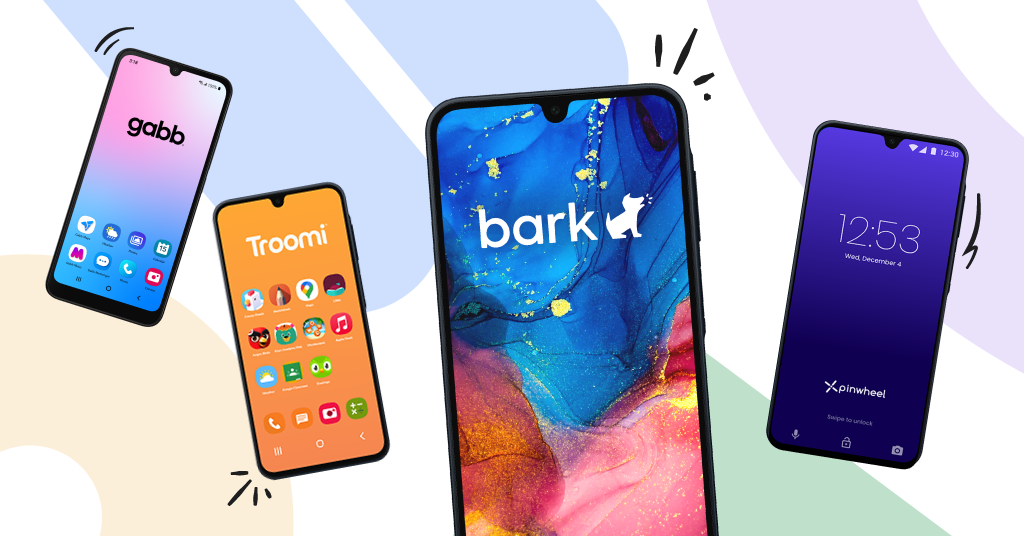
| Bark Phone ⭐ | Bark Phone Pro ⭐ | Gabb Phone 4 | Pinwheel | Troomi | iPhone + Bark App | |
|---|---|---|---|---|---|---|
| Device | Samsung Galaxy A16 | Samsung Galaxy A37 | Gabb Phone 4 | Slim 6 | Samsung Galaxy A16 5G | N/A (your existing iPhone) |
| Best For | Customizable controls that grow with your child | Same as Bark Phone, with a higher-performance device | Very restricted first phone | Restricted smartphone with some flexibility | Limited-feature smartphone | Families who already own an iPhone |
| Age Range | All ages | All ages | 9–13 | 10–18 | 9–11 | 16+ |
| Monthly Cost | From $29/mo + device | From $29/mo + device | From $24.99/mo | $29.99/mo | From $24.95/mo | Cost of your existing plan |
| Device Cost | $360 | $600 | $149.99 | $199 | $199.95 | Depends on model |
| Content Monitoring | ✓ YesTexts, browsing, email, 30+ apps. Alerts for concerning content. | ✓ YesSame as Bark Phone. | ✗ NoTexts only via Gabb Messenger. | ✗ NoNo app monitoring; no social media. | ✗ NoNo app monitoring; no social media. | ~ SomeWith Bark app: texts, browsing, email, select social media. |
| Screen Time | ✓ YesSchedules for school, bedtime, free time. Per-app limits. | ✓ YesSame as Bark Phone. | ~ SomeCan temporarily lock all apps. | ✓ YesTime-of-day availability + per-app limits. | ✓ YesChoose apps and when; usage timers. | ✓ YesApple Screen Time + Bark scheduling. |
| Location Tracking | ✓ YesReal-time map, alerts, check-ins. | ✓ YesSame as Bark Phone. | ✓ YesReal-time GPS + safe zones. | ✓ YesReal-time + arrival/departure alerts. | ✓ YesReal-time + location history. | ✓ YesApple Find My or Bark's features. |
| Grows With Child | ✓ YesUpgrade plans on the same device as they grow. | ✓ YesSame as Bark Phone. | ✗ NoCan't add social media or full app store. | ✗ NoCan't add social media apps. | ✗ NoLimited to Troomi-approved apps only. | ✗ NoAll features available at once. |
The Pros and Cons in One Place
Gabb
Pros
- Built-in parental controls, no separate setup required
- Real-time GPS with safe zone alerts
- Can remotely lock the device for a period of time
Cons
- No screen time features such as screen time schedules or time limits
- Can't add an app store or social media later, so most families outgrow it
- It's a short-term device by design
Pinwheel
Pros
- Parental controls built in from the start
- Can decide what apps and contacts are available throughout the day
- Real-time GPS with arrival/departure alerts
Cons
- Gives parents full access to kids’ texts that parents have to read through to find potential dangers and can potentially destroy trust with their child
- Social media stays blocked even with Google Play Store access, so parents can’t add it when their teen is ready
- $29.99/mo with Pinwheel Wireless, plus a $219 device, is a premium price for a permanently restricted phone
Troomi
Pros
- Parental controls built in
- Choose what apps are allowed throughout the day, and set timers for apps.
- Real-time GPS plus location history
Cons
- Alerts for concerning content are limited, and parents have to enable the Content Filtering feature first to receive some alerts.
- Limited to Troomi-approved apps only, with no path to social media or a full app store
- Narrow 9–11 age range means most kids outgrow it fast
Bark Phone
Pros
- AI-powered content monitoring across texts, email, browsing, and 30+ apps and detects concerning content across 29 categories such as suicidal ideation, sexual content, bullying, porn, online predators, depression, disordered eating, anxiety, violence, and more.
- Fully customizable screen time schedules and time limits for apps, plus app and contact approval features
- Grows with your child — same device with multiple plans to choose from, from a more “locked down” device to a full smartphone
Cons
- Granular, customizable controls mean a bit more setup time to choose the settings that fit your family
- Monthly cost ($29/mo + device) is higher upfront than a basic phone, though it can replace buying a second device later and includes a Bark Premium subscription for other devices in the home.
- Kids can request new apps, which adds a step for parents to approve or deny every app
Basic Phone Options: Gabb, Troomi, Pinwheel
If the beginning of your child’s tech journey feels intimidating, it may be tempting to choose the most basic, limited device. But the truth is, these phones have a short lifespan, while still coming at high-tech prices. Kids grow fast, and most parents find themselves looking for a phone that allows them to block apps but allow certain functions like music or YouTube. Additionally, these phones are largely incapable of telling you when something is wrong. Most offer little to no content monitoring — meaning parents either get no visibility into their child's conversations, or they're handed access to every single message and left to find the problems themselves.
Best Overall: Bark Phone
The Bark Phone is Bark’s answer to the growing dilemma most parents face — “How do I allow my child to use a smartphone safely without giving them unfettered access to all the internet’s dangers?” We designed the phone specifically to give parents the much-needed option to decide what goes (and what doesn’t) on their child’s device, through highly customizable controls.
And the best part? We used feedback from real parents to build the most user-friendly, easily remotely managed parental control tools possible. So whether you're a working mother, a dad of four, or just a parent who's tired of being the family's IT expert, Bark's single dashboard lets you set rules, get alerts, and check in from wherever you are.
The Bark Phone can be as “locked down” as possible through our Starter plan, or as open and accessible as a regular smartphone through one of our advanced plans— all on the same device. And even as you allow more functionality, you can always manage access with granular screen time rules, routines, and settings to ensure it matches your child’s specific needs.
The Bark Phone also offers built-in content monitoring that is unmatched by anything on the market. We’ve been diligently training our AI technology for over a decade now to catch over 29 categories of content, such as bullying, predation, sexual content, suicide/self-harm, and more in your child’s online activities. Most parents don’t want to dig through hundreds of messages and apps, and kids certainly don’t want that either. Bark runs quietly in the background, passing over the normal chatter and only flagging the ones that need your attention.
Best for Teens: Bark Phone Pro
If you’re looking for something that feels more suitable for a teen, we have the Bark Phone Pro. The Pro comes with more memory, a faster processor, faster charging, a scratch-resistant Gorilla Glass screen, a higher-quality front camera, and water and dust resistance. It’s a phone a teenager will actually want to use, and all of Bark’s parental controls come standard on the Pro, so parents don’t have to choose between safety and a phone their teen feels good about carrying.
FAQs: Best Phones for Kids
What is the safest phone for a 10-year-old?
The Bark Phone is widely considered a safer phone for a 10-year-old because it starts in basic talk-and-text mode with no browser, no social media, and no app store. Built-in content monitoring alerts you to signs of bullying, depression, predators, and explicit content. As your kid earns more trust, the same phone grows with them, so you're not buying a new device every two years.
Is Bark Phone better than Gabb?
For most families, yes — and flexibility is the main reason. Gabb Phone is solid for younger kids who just need calls and texts, but it doesn't grow with them. The Bark Phone can start just as simple, then scale up as your kid matures — plus it adds content monitoring, so parents get alerts instead of finding out after the fact.
When should I upgrade my kid from a watch to a phone?
There's no perfect age, it's whenever you feel your child is ready for more functionality. A watch is great for quick communication and location sharing, but eventually kids want to use tech to have longer conversations with friends. Upgrading to a phone doesn't have to mean handing over a full smartphone — the Bark Phone Starter plan functions essentially the same as the watch, it just also has the option to gradually expand capabilities as needed.
We already gave our kid an old iPhone — now what?
You're not starting from scratch. Adding the Bark app to an existing iPhone gives you content monitoring across texts, email, and 30+ apps. For deeper monitoring of texts and photos on iOS, the Bark Sync is a small device that plugs in during charging and scans automatically. It's a practical middle ground for families who can’t switch devices but want real visibility into what's happening on the phone.
Ready to Try the Bark Phone?
If you’re ready to feel more confident in your child’s tech journey, order your Bark Phone today and see why thousands of parents have put their trust in Bark. If you’re looking for a smartwatch, parental control app, or in-home web filtering, check out our suite of parental control products to see how Bark can best help your family.
Read more

Bark helps families manage and protect their children’s digital lives.