Digital technology has become an essential part of our lives, and it's no different for our children. Whether it's watching YouTube videos, playing online games, or chatting with friends on social media, our kids are spending more and more time online. As a parent, it's important to embrace all that technology can offer your child while also ensuring their online safety and wellbeing.
We want to make sure parents feel equipped to support their child in the digital age. So this guide covers everything parents need to know — including what the American Academy of Pediatrics (AAP) recommends for screen time at every age, how to spot when screen use has become a problem, and how to build a family plan that keeps tech healthy.
What Are The AAP's Screen Time Guidelines by Age?
The AAP used to recommend specific time limits for each age, but its January 2026 policy statement takes a different approach. Instead of quantity, they’re focused on quality, or the type of screen time kids are getting at each age. Not all screen time is created equal, and a FaceTime call with Grandma is completely different from watching endless autoplay YouTube videos.
Here’s a brief overview of focus areas recommended by the AAP per age:
| Age | Recommendation | What to Protect |
|---|---|---|
| Under 18 months | Avoid screens except video chatting with family. Babies learn best through real-world interaction. | Language and social development, which heavy solo screen use can slow |
| 18 months–5 years | Introduce screens slowly. For ages 2–5, keep it to about one hour a day of high-quality content, ideally watched together. | Sleep, play, reading, and time with caregivers. Don't rely on screens as the main way to calm a child. |
| 6–12 years | No set hourly limit. Set consistent family limits with a family media plan, delay personal tablets, and think carefully before a first phone. | Sleep, attention, school performance, physical activity, and time with friends and family |
| 13–18 years | No set hourly limit. Have ongoing conversations about algorithms, ads, privacy, and app features designed to keep teens scrolling. | Sleep, healthy peer relationships, protection from harmful content, and mental health |
| All ages | Keep bedrooms and mealtimes screen-free, especially the hour before bed. Watch and play together, and pair parental controls with a family media plan. | Family time and healthy routines |
Source: AAP, 'Digital Ecosystems, Children, and Adolescents' (January 2026). Last updated October 2026.
How much screen time is healthy for a 10-year-old?
The better question is, what kind of screen time is healthy for a 10-year-old? This age is a formative time for education and socialization, and there are ways technology can aid in this. There are plenty of interactive apps and sites that can supplement what they’re learning in school. Additionally, this is the age when many kids start getting interested in video games and playing together. Allowing your child some time to play Minecraft or Smash Bros with friends can help them connect with their peers.
But if this tech time ever seems to consume their day, throw their emotions off balance, or isolate them from others, that’s when it becomes unhealthy. A good rule of thumb for this age is to have set times throughout the day that are screen-free, such as no devices at dinner or no TV before school.
Does screen time before bed affect my child’s sleep?
Yes, and research has shown this repeatedly for all ages. Here’s how it works: blue light from devices can suppress melatonin, the hormone that tells the brain it's time to sleep. And engaging content like games, group chats, and endless scrolling keeps the brain alert when it should be winding down. The AAP recommends keeping bedrooms screen-free and putting devices away at least an hour before bed. Charging phones outside the bedroom overnight also keeps late-night notifications from waking kids up.
How Do I Know if My Kid is Getting Too Much Screen Time?
Signs of phone addiction in kids and teens
Experts refer to it as “problematic interactive media use,” rather than the term addiction. Lots of teens use their phones constantly, so how do we know if their tech use crosses into problematic territory? These are some of the signs they say to look for:
- Increased irritability or anxiety when unable to use devices
- Excessive time spent online, impacting schoolwork or sleep
- Withdrawal from other activities or hobbies
- Changes in mood or behavior, like becoming more secretive or defensive about device use
- Physical symptoms like headaches or eye strain from prolonged screen time
- Deceiving family members or others about the amount of time spent gaming or online
- The use of screen time to relieve negative moods
Signs it’s time for a digital detox
You know your child best, and just because they exhibit some of these signs, doesn’t necessarily mean it’s problematic interactive media use. But a combination of them may be a signal to take a closer look at their screen time and reel some things back. Even a full digital detox may be needed to reset and start fresh with better habits.
Making a Plan for a Healthy Digital Lifestyle
Create and sign a family media plan
Signing a tech contract, or a family media plan as the AAP calls it, is an excellent way to establish expectations and guidelines for device usage. A tech contract should outline rules for device usage, consequences for breaking the rules, and guidelines around online behavior. Build it together, and let your child suggest some of the rules. Not sure where to start? You can download Bark’s Technology Contract here.
Some quick examples include:
- No phones at the dinner table
- All phones get charged in the kitchen starting at 8 pm.
- Homework has to be done before video games on school days.
- No sharing personal information with strangers online.
- If you see something scary or inappropriate online, come talk to a parent as soon as possible.
It’s also important to model healthy tech habits for your child. Limit your own screen time and prioritize face-to-face interactions with your family. Avoid using devices during meal times or family activities, and encourage your child to do the same.
Talk Openly and Honestly About the Benefits and Dangers
Having open conversations with your child about the things they're seeing online is essential for their safety and well-being. Ask them about their online activities, who they're chatting with, and what types of content they're viewing. Teach them about online safety and privacy, and encourage them to come to you with any concerns or questions they may have.
It’s also important to discuss the importance of monitoring and how this is different from spying or being sneaky. The balance between monitoring and respecting their privacy can be tricky — kids deserve a healthy level of privacy, but they also need supervision as they’re growing and learning. Explain that you’re not trying to catch them just to get them in trouble; you just want to make sure you can help them if they’re ever in a tough spot.
Leveraging Parental Controls For Your Peace of Mind
Even with all the right conversations and boundaries in place, most parents still need another layer of protection to support their family’s digital world. This is where parental controls can help reinforce those tech rules. And for working mothers, busy fathers, and any caregiver who doesn’t feel confident in their tech skills, monitoring tools can be a helpful safety net as your child starts using technology more.
The best parental controls are the ones that are most comprehensive — ones that can detect real-time dangers, help you manage your child’s screen time on a daily basis, and track location for the times they’re away from you.
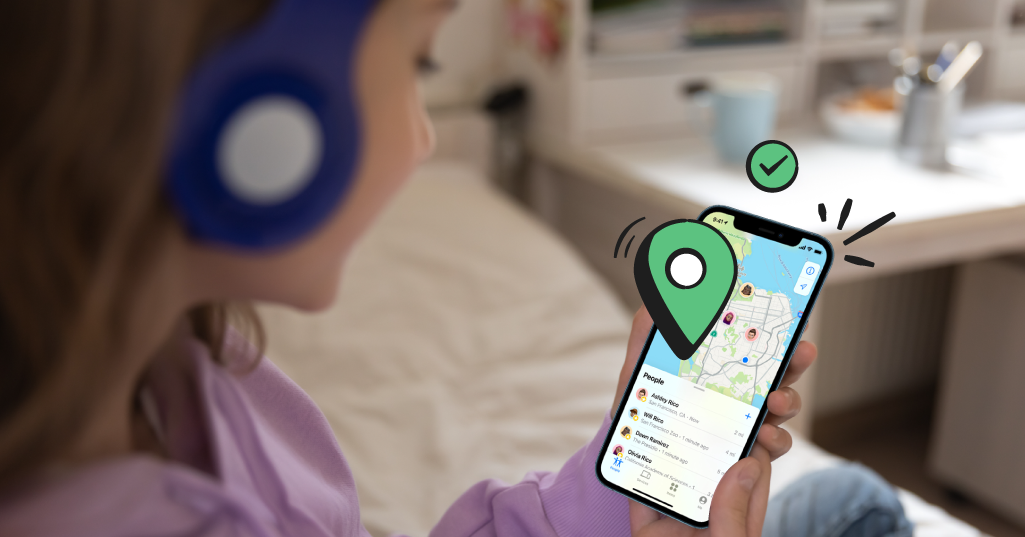
This is where Bark comes in. Bark’s award-winning monitoring service alerts parents and guardians when there’s a potential issue they need to know about, including cyberbullying, sexting, online predators, depression, and more. We also offer screen time schedules, web filtering, location tracking, and more. On the Bark Phone and Bark Watch, these controls are already built in, plus many more device features. Check out our suite of parental control products to see which one is the best fit for your family.
Read more


Bark helps families manage and protect their children’s digital lives.