
If you saw the headlines this week about Google expanding Android parental controls, you may have felt that familiar flicker of hope. Finally. Maybe this changes things. And then, almost immediately, that quieter voice: But does it actually?
So let's skip the press release version and get into what Google actually announced, what it does well, what it still can't do, and what that means for your family.
So What Did Google Actually Announce?
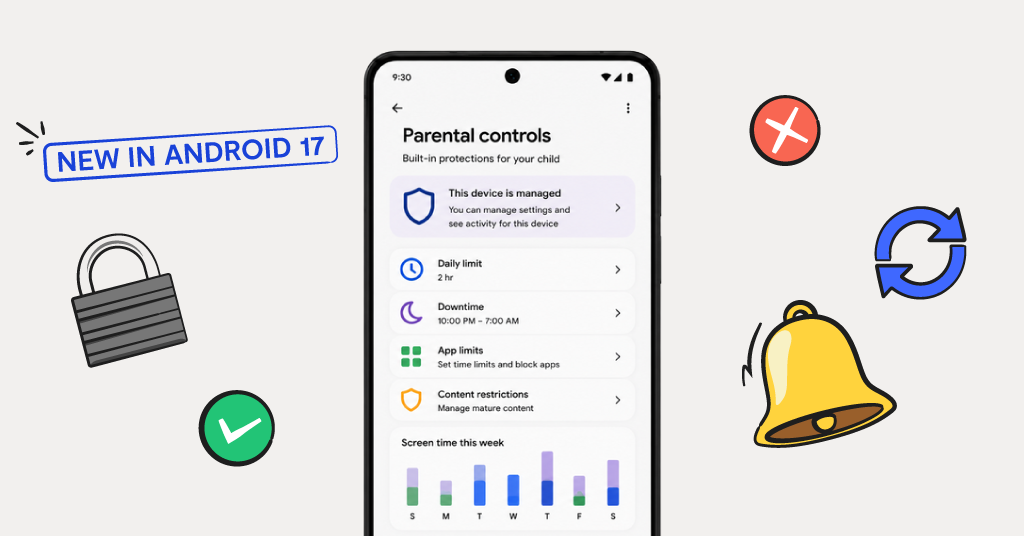
On June 16, Google announced that Android Parental Controls are expanding to all devices that update to Android 17. Previously, these built-in controls were only available on Pixel phones. Now, whether your kid has a Samsung, a Motorola, or any other Android device, once it updates to Android 17, the parental controls will be there.
Here's what parents can access from a single menu inside Android Settings:
- Daily screen time limits to cap how much time your child spends on the device each day
- Downtime schedules to automatically lock the phone at night or during school hours
- Google Play content filters so kids can't download apps above a certain age rating without your approval
- Per-app controls to limit or block time spent on specific apps
- A built-in path to Google Family Link for deeper oversight, including location sharing and app purchase approvals
The whole thing is protected by a parent-set PIN, which means your child can't just go in and undo it. And Google announced it's also increasing its U.S. digital wellbeing fund to more than $50 million, directing new support to organizations like Active Minds and the Child Mind Institute. It's a meaningful gesture — though for a company that generated $350 billion in revenue last year, it's worth keeping in perspective.
What's Genuinely Good About This Update
Let's give credit where it's due, because some of this is a real improvement.
For starters, broader access matters. Before Android 17, parents with non-Pixel devices had to download Family Link as a separate app and manage everything remotely. That worked, but it required setup that a lot of families never got around to. Having these controls baked directly into Android Settings lowers the barrier significantly. If your child has an Android phone, the tools are now just there.
The PIN protection is also more meaningful than it might sound. One of the most common workarounds kids used with older app-based parental controls was simply uninstalling the app. Controls embedded in system settings are a lot harder to remove. That's a genuine structural improvement.
And the downtime scheduler is a real win for families trying to establish "phones off at bedtime" routines without a nightly standoff. Set it once, and the phone locks itself. That's one fewer battle.
Bonus tip: If your child's device hasn't updated to Android 17 yet, you can still access Family Link's existing controls right now through the Family Link app on your own phone. Here's our step-by-step guide to getting started.
Here's What These Controls Still Can't Do
This is the part that matters most if you want the full picture and truly comprehensive protection.
They can't see inside apps
Android's built-in controls can tell you how much time your child spent on Instagram or Snapchat. What they can't do is tell you what was said, sent, or received inside those apps. The DMs, the group chats, the direct messages: all of that is still completely invisible to Google's native tools.
They don't detect concerning content
If your child receives a message involving bullying, predatory behavior, self-harm, or explicit content, these controls won't alert you. They manage time and access. They're not watching for safety issues.
Web filtering has real limits
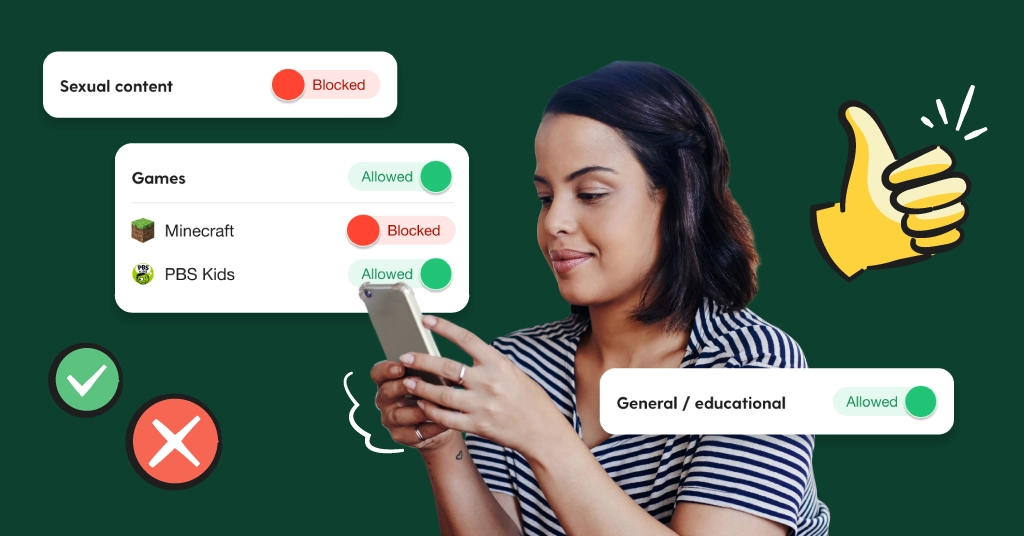
SafeSearch and Google Play filters block some obvious things, but they don't provide nuanced filtering across every browser, app, or the new platforms that seem to pop up every few months.
Determined kids can still find workarounds
The PIN protection is a genuine improvement, but a resourceful teenager can still factory reset a device, add a secondary Google account that isn't supervised, or find other routes depending on how the device is configured. It's not a complete barrier.
It only works on Android
If your child ever moves to an iPhone, none of this follows them.
None of this means the update isn't useful. It is. It just means it solves the "how much time?" problem a lot more than the "what are they doing in there and are they safe?" problem. Those are two different challenges, and they need different tools.
How Bark can help
Bark works alongside Android's built-in controls to fill in the gaps they leave open. While Google's native tools manage screen time and app access, Bark monitors the actual content of your child's messages, emails, and social media activity for signs of cyberbullying, depression, online predators, and explicit content. It only alerts you when something concerning comes up, so you're not reading every text, and you're just not left in the dark when something goes wrong.
Should You Use Google's Controls, Bark, or Both?
Short answer: both, and they work well together.
Think of Android's built-in controls as the foundation. Screen time limits, app access, bedtime lockout: those are the guardrails that help establish healthy habits and reduce passive scrolling. For younger kids getting their first device, that foundation is a great place to start.
But screen time limits are only part of the picture. Children will most likely encounter cyberbullying, predatory contact, or content that affects their mental health, and none of that is something a daily screen time cap can catch. That's where content monitoring becomes important, and where built-in controls alone fall short. If you think, “not my kid,” or "he's too young,” or “she’ll tell me if there’s a problem,” think again.
The good news is that Bark is designed to work alongside Family Link on Android, not instead of it. You don't have to choose.
How Bark can help
If you want to go a step further, the Bark Phone is an Android device with Bark's monitoring built directly in, so you get robust screen time controls, content monitoring, location sharing, and more, all in one place. Learn more about the Bark Phone here.
Bonus tip: Not sure which Bark product fits your family? Try our quick product quiz to find out in about two minutes.
How to Turn On Android 17's Parental Controls
If your child's device has updated to Android 17, here's how to get started:
- On your child's device, go to Settings > Digital Wellbeing & Parental Controls > Parental Controls
- Set a PIN that only you know
- Configure daily screen time limits, downtime schedules, app controls, and Google Play content filters
- Follow the in-settings prompt to link Google Family Link if you want location sharing and app purchase approvals
Pixel devices are getting Android 17 first. Other Android manufacturers will roll it out throughout the rest of 2026.
Bonus tip: For a full walkthrough of setting up Family Link from scratch, our step-by-step Android parental controls guide has everything you need.
The Foundation Is There. Here's How to Build on It.
Google's update is a real step forward, and the expanded access matters. But screen time limits and app controls only go so far. The conversations happening in your kid's DMs, the content quietly affecting their mental health: that's where built-in tools stop, and where Bark steps in.
Bark monitors your child's messages and social accounts for signs of real danger and notifies you only when something needs your attention. No invasion of privacy. No reading every text. Just the peace of mind that comes from knowing someone is watching out for your kid when you can't be.
Read more
Bark helps families manage and protect their children’s digital lives.
